Home Case studies nimiTV IPTV
TV interface · ten-foot UX
nimiTV IPTV
Large-screen IPTV UI—focused navigation, readable typography at distance, and layouts tuned for remote and D-pad interaction.
NimiTV is an IPTV experience for people who want quick access to familiar Albanian TV across devices. The case study centers on ten-foot UX: making browse, focus, and playback obvious from a distance with remote-first interaction.
What changed
Clearer ten-foot navigation for IPTV browsing
More legible hierarchy for distance and remote interaction
Reusable patterns across channels, VOD, catch-up, and device pages
Stronger product story for Albanian TV diaspora audiences
By the numbers
A little context
250
Channels in premium plan
Dense channel catalogs require strong hierarchy and predictable remote navigation.
7-day
Catch-up window
Live and catch-up behavior need to feel like one coherent viewing system.
3
Devices per subscription
The experience has to support cross-device expectations, not just a single TV surface.
The calls
What I kept coming back to
The details changed. These did not.
Start with focus
On TV, the selected state is the interface. Every layout decision has to make location and next movement obvious.
Design for habits
Viewers return to channels, shows, devices, and routines; the IA should make those repeat paths fast.
Keep distance in mind
Typography, spacing, and contrast need to work from across the room before decorative polish is added.
Problem and context
IPTV viewers need fast access to familiar content across devices
NimiTV serves Albanian TV audiences abroad, with packages for live channels, VOD, catch-up, and multi-device viewing across smart TVs, boxes, TV platforms, and smartphones. The product’s value is emotional as well as functional: staying connected to home through familiar channels and shows.
The product has to make packages, devices, live channels, VOD, and catch-up feel accessible without losing the emotional goal: getting viewers to familiar content quickly.
Goals and success criteria
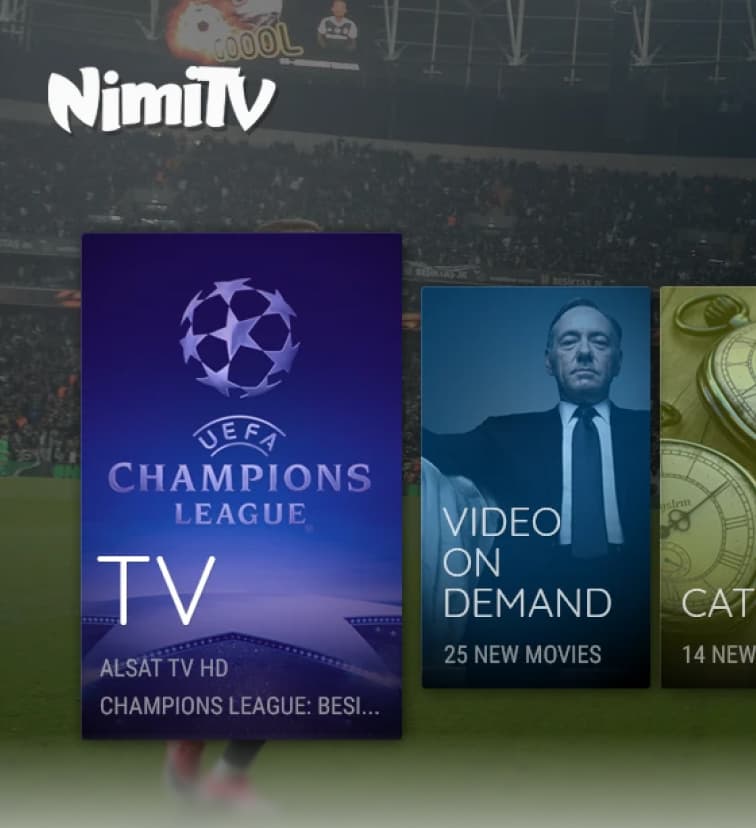
Make browse, resume, and play obvious from across the room
The goal was to make the IPTV experience feel predictable on large screens, where users interact with coarse input, distance, and low tolerance for unclear focus. People should always understand where they are, what is selected, and how to start watching.
Success would show up as fewer navigation errors, faster content start, more catch-up usage, improved device activation, or stronger package understanding before purchase.
- Make focus states unmistakable from a distance.
- Create predictable movement through rows, rails, grids, and detail screens.
- Prioritize channels, VOD, catch-up, and continue-watching paths.
- Keep package and device information easy to understand across touchpoints.
Constraints
Ten-foot UI has less room for ambiguity
TV interfaces need to work with remotes, D-pads, slower typing, variable screen quality, and viewers who expect instant playback. The design has to handle dense content without making the user read too much or hunt for focus.
Those constraints affect every screen: platform differences, TV safe areas, input methods, localization, content rights, and package differences all shape how much information can appear at once.
- Remote navigation must be predictable in every direction.
- Typography and spacing need to hold up at living-room distance.
- Search and browsing need alternatives because TV text input is slow.
Research and insights
Viewers think in habits: channels, shows, devices, and routines
The most useful insights should explain how users decide what to watch: a favorite channel, a show after it airs, a device-specific path, or a package decision. For diaspora audiences, content familiarity and quick access can matter as much as feature depth.
Usage observations, support themes, and device-specific testing can reveal where the TV experience needs stronger focus, clearer labels, or faster paths back to familiar content.
- Live TV and catch-up need different mental models but one coherent navigation system.
- Device compatibility is part of the product experience, not just marketing content.
- Packages should feel understandable before users commit.
Approach and key decisions
Design from focus state outward
The approach for ten-foot UX should start with focus, movement, and hierarchy before visual polish. Rows, rails, cards, and detail screens need clear selection behavior so users can predict where the remote will take them.
The navigation decisions should explain how focus states, row behavior, detail screens, and playback entry points work together to reduce hesitation.
- Make the selected item visually dominant before adding secondary information.
- Use consistent row behavior to avoid surprise wraps or dead ends.
- Surface resume and watch-now actions where users expect them.
Solution and visual evidence
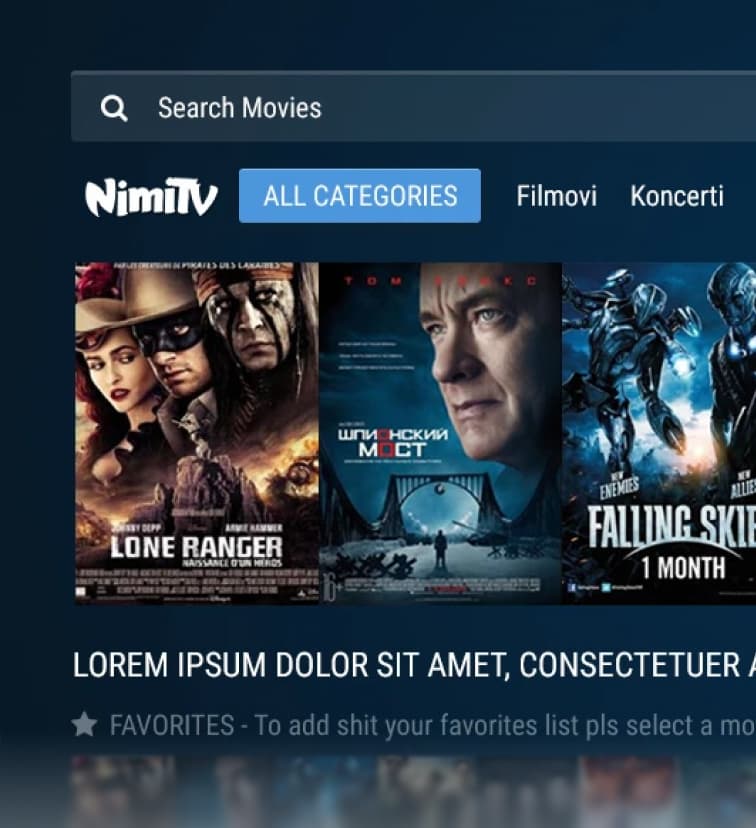
Show rails, detail screens, playback paths, and device coverage
The visual evidence should include large-screen UI, focus states, channel browsing, VOD, catch-up, package flows, and device-specific screens.
Each visual should make the ten-foot design decision visible: hierarchy, focus, readability, or navigation predictability.
Impact
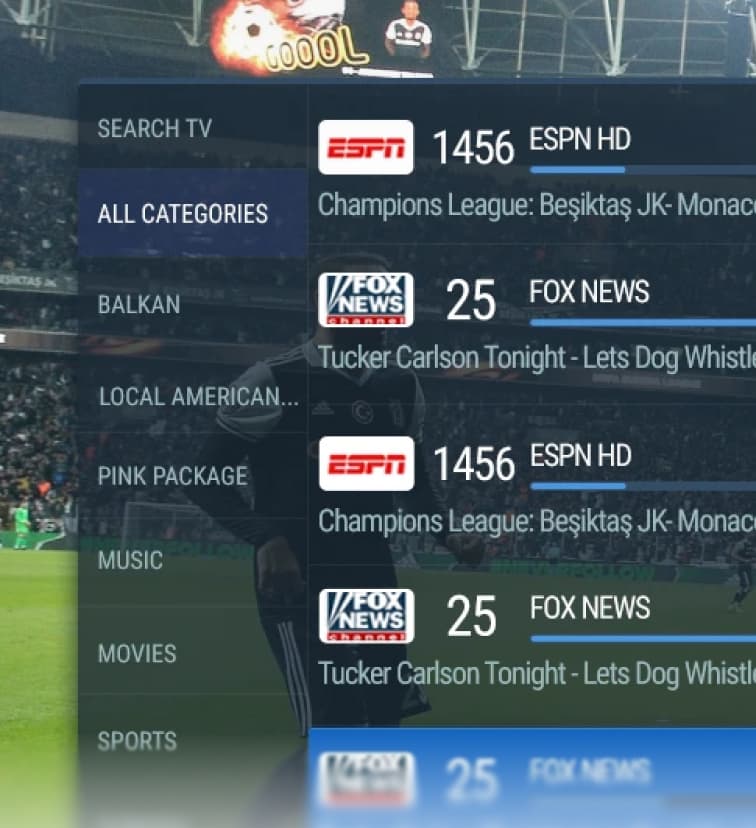
A clearer IPTV experience across screens and viewing habits
The intended impact was a more usable IPTV experience for viewers who want fast access to Albanian TV abroad. Strong proof would include engagement, reduced support, faster activation, better package conversion, or improved viewing completion.
- Improved clarity for remote-driven browsing.
- Created scalable patterns for channels, VOD, and catch-up.
- Strengthened the product story around multi-device viewing.
Reflection
The best TV UI disappears once play starts
This work highlights how much TV UX depends on distance, habit, and input constraints. The interface succeeds when users stop thinking about navigation and simply get to the content they came for.
The bit that mattered
A strong IPTV interface gets out of the way once viewing starts, but it has to be extremely clear before that moment: where am I, what is selected, and how do I play?